
A blazing fast API for Minecraft faces
 jomo
72840433cb
use proper URL encoding in tests
jomo
72840433cb
use proper URL encoding in tests
|
10 лет назад | |
|---|---|---|
| images | 11 лет назад | |
| lib | 10 лет назад | |
| logs | 11 лет назад | |
| test | 10 лет назад | |
| .buildpacks | 11 лет назад | |
| .editorconfig | 11 лет назад | |
| .gitignore | 10 лет назад | |
| .travis.yml | 10 лет назад | |
| CONTRIBUTING.md | 11 лет назад | |
| LICENSE | 11 лет назад | |
| Procfile | 11 лет назад | |
| README.md | 10 лет назад | |
| app.json | 11 лет назад | |
| config.example.js | 10 лет назад | |
| package.json | 10 лет назад | |
| www.js | 10 лет назад |
README.md
Crafatar 


 Crafatar serves Minecraft avatars based on the skin for use in external applications.
Inspired by Gravatar (hence the name) and Minotar.
Crafatar serves Minecraft avatars based on the skin for use in external applications.
Inspired by Gravatar (hence the name) and Minotar.
Image manipulation is done by lwip. 3D renders are created with node-canvas, based on math by confuser.
Contributions welcome!
There are usually a few open issues.
We welcome any opinions or advice in discussions as well as pull requests.
Issues tagged with  show where we could especially need your help!
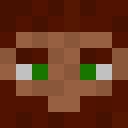
Examples
 |
 |
 |
 |
Usage / Documentation
Please visit the website for details.
Contact
- You can follow us on
@crafatar
- Open an issue on GitHub
- You can join us in #crafatar on irc.esper.net.
Installation
Heroku

Dokku
- Install the dokku-redis plugin
dokku redis:startYou also might want to use docker-options for persistent storage:
-v /var/lib/crafatar/images:/app/images
-v /var/log/crafatar:/app/logs
Deploy with ENV config:
PORT=5000
BIND=0.0.0.0
Local
- Use io.js
- Install Cairo.
npm install- Start
redis-server npm start- Access http://localhost:3000
Tests
npm test
If you want to debug failing tests, you can set the env
VERBOSE_TEST=true
To debug caching, it can be helpful to monitor redis commands while tests are running:
redis-cli monitor